My Home Calc
Sometimes the most useful apps are the ones that just answer a simple question quickly. My Home Calc came out of a straightforward need — whenever a big financial decision came up, I found myself bouncing between different websites or spreadsheets to crunch the numbers. I figured it made sense to bundle the most common home and vehicle loan calculations into one clean, easy-to-use mobile app.
What It Does
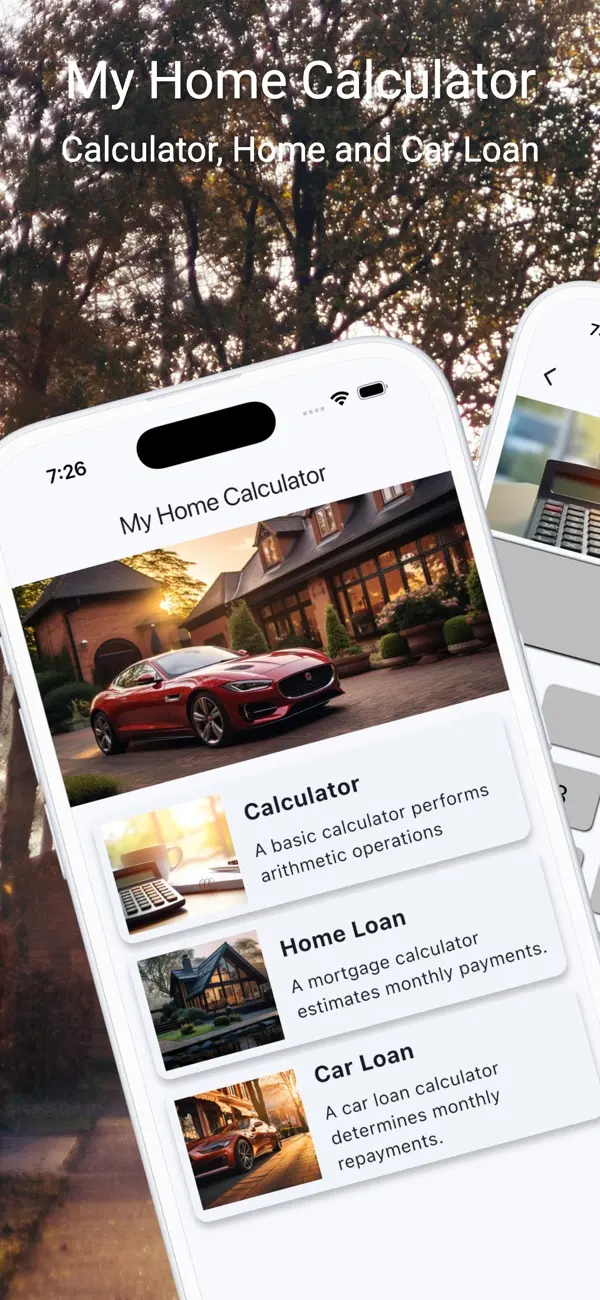
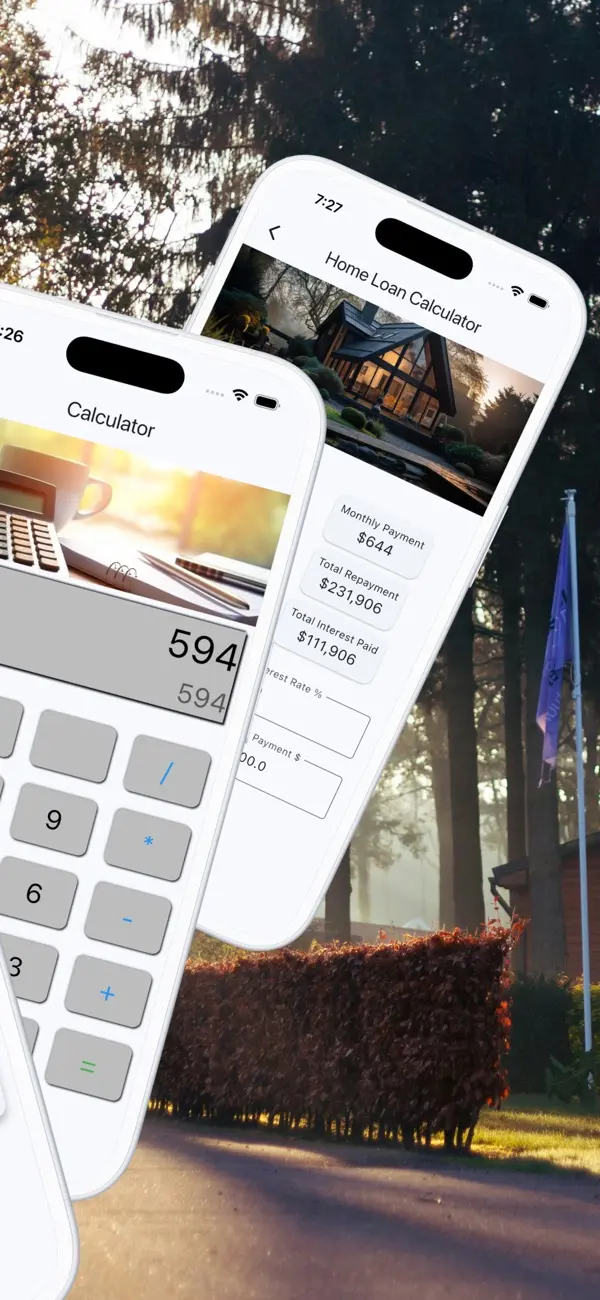
My Home Calc gives you three core calculators in a single app:
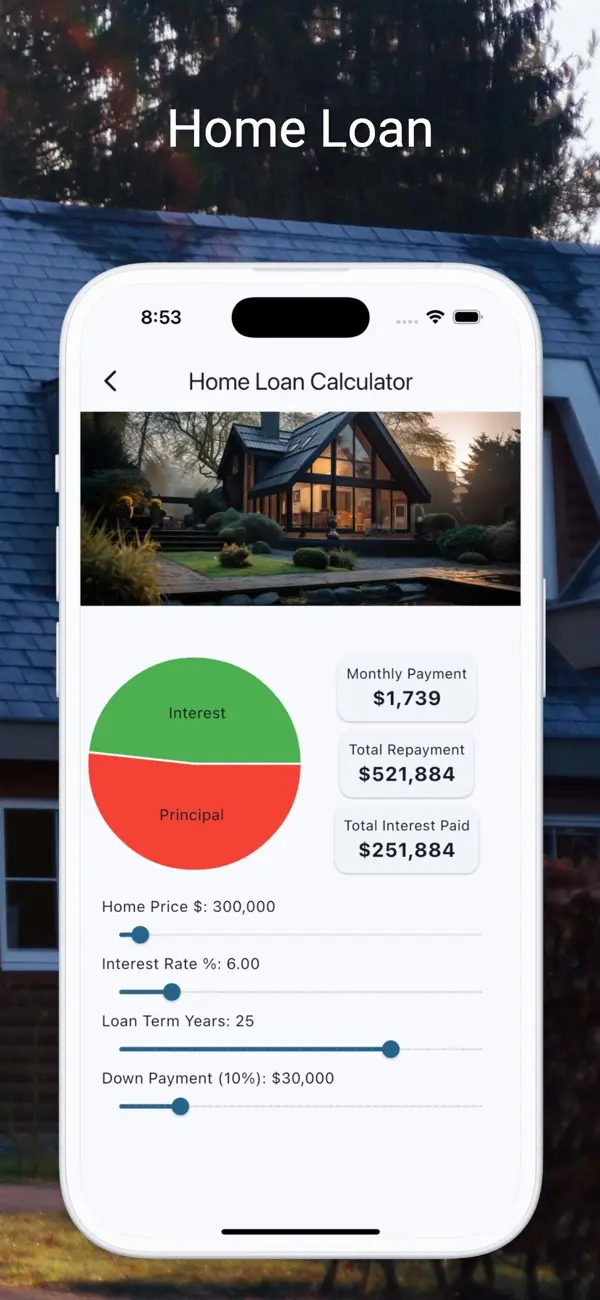
- Mortgage Estimator — Enter a home price, down payment, interest rate, and loan term to get an estimated monthly payment. For example, a $350,000 home with a 10% down payment at 6.5% over 30 years comes out to roughly $1,990/month.
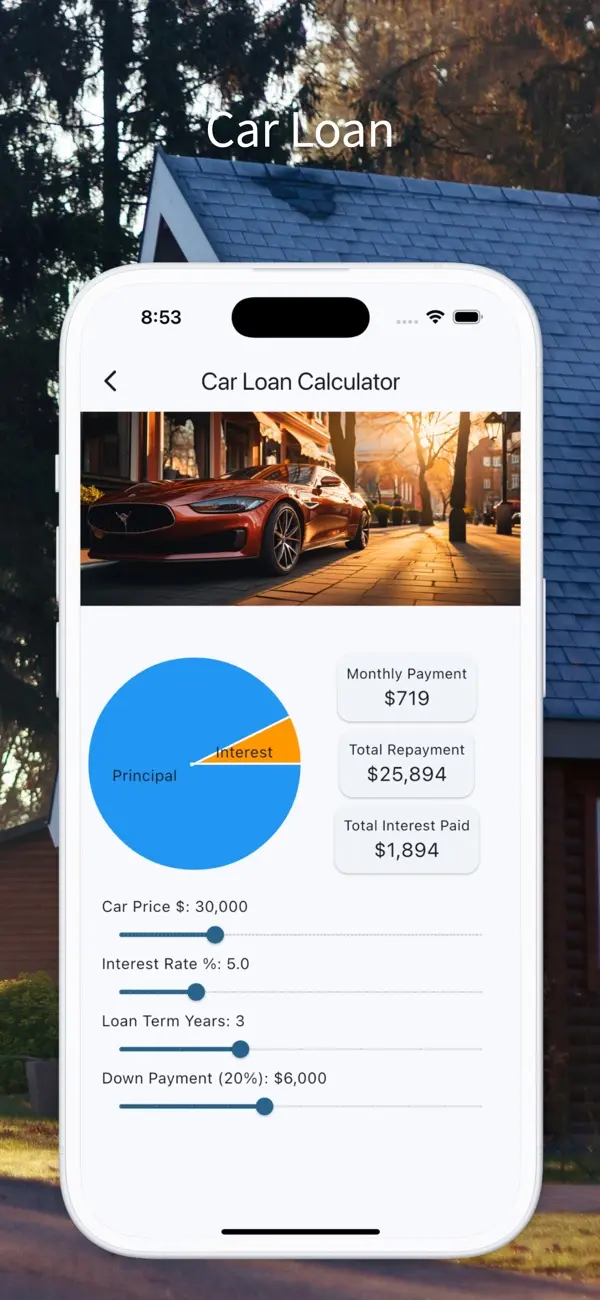
- Car Loan Calculator — Works the same way for vehicle financing. A $25,000 car loan at 5.9% over 60 months works out to around $482/month.
- General Loan Calculator — A flexible calculator for any other borrowing scenario — personal loans, home improvements, and so on.
Nothing groundbreaking, but having all three in one place, with a clean interface, makes a genuine difference when you're sitting in a dealership or walking around an open house.
Building It
This was a Flutter project targeting both Android and iOS. The calculations themselves are standard financial formulas — the classic fixed-rate monthly payment formula $M = P \frac{r(1+r)^n}{(1+r)^n - 1}$ where $P$ is the principal, $r$ is the monthly interest rate, and $n$ is the number of payments. Straightforward math, but getting the inputs and edge cases right (zero down payment, very short loan terms, etc.) took a bit of care.
One thing I was particularly keen to explore on this project was Google Analytics integration. I wanted to understand how real users were actually using the app — which calculator they opened first, where they dropped off, what inputs they typically entered. Analytics on a mobile app works differently from a website, and this project gave me a proper hands-on understanding of event tracking and funnel analysis on mobile.
What I Learned
The analytics side turned out to be the most educational part of the build. Seeing real usage data — even on a small, niche app — changes how you think about design decisions. I adjusted a few things after launch based on what the data showed: which calculators got the most use, and where the flow felt clunky.
It also reinforced something I already suspected: people want simple, fast answers. The app doesn't need to be fancy. It just needs to work correctly and get out of the way.
Screenshots